
For colleges and universities
Know every student. Make sure no one slips through.
One record for every student, from the first week of orientation to their first gift as an alum. The Assistant tells your staff who’s drifting and why, and drafts a note they edit and send.
Now taking founding colleges for spring 2027, with founding pricing and a direct hand in shaping the product.
Why now
Fewer students are coming. Too many don’t stay. Belonging is part of the answer.
Every student who leaves after the first year is a person who didn’t find their place, and a seat that’s harder to fill each year. These are the numbers we started from.
About 31%
of first-year students don’t return to the school they started at.
24%
Belonging now ties with cost as a reason students consider stopping out, at 24% each.
2025
The year the number of US high school graduates peaked.
72.1%
Average first-to-second-year retention at CCCU member schools.
Across the student lifecycle
One record. From orientation to alumni giving.
Groups, events, check-ins, mentoring, messages and gifts land on the same person. Nothing starts over at graduation.
Find their people in the first six weeks.
Put the first-year class in a cohort, open groups and clubs from week one, run orientation events with RSVPs and check-in, and pair new students with a mentor.
First-year belongingKeep noticing, all four years.
Chapel and other gatherings run as check-in sessions. Courses track lessons and progress. Messages go out by email, in the app and by text, and the Assistant’s weekly list shows who has gone quiet.
The same record after graduation.
The same record carries on after commencement. Graduates verify as alumni (they submit, your staff approve), join class cohorts and mentor the students coming behind them.
Giving that starts from a relationship.
Fundraising campaign pages and gifts go straight to your college’s own Stripe account, with no platform fee. The Assistant flags each first gift so someone says thank you.
Alumni and giving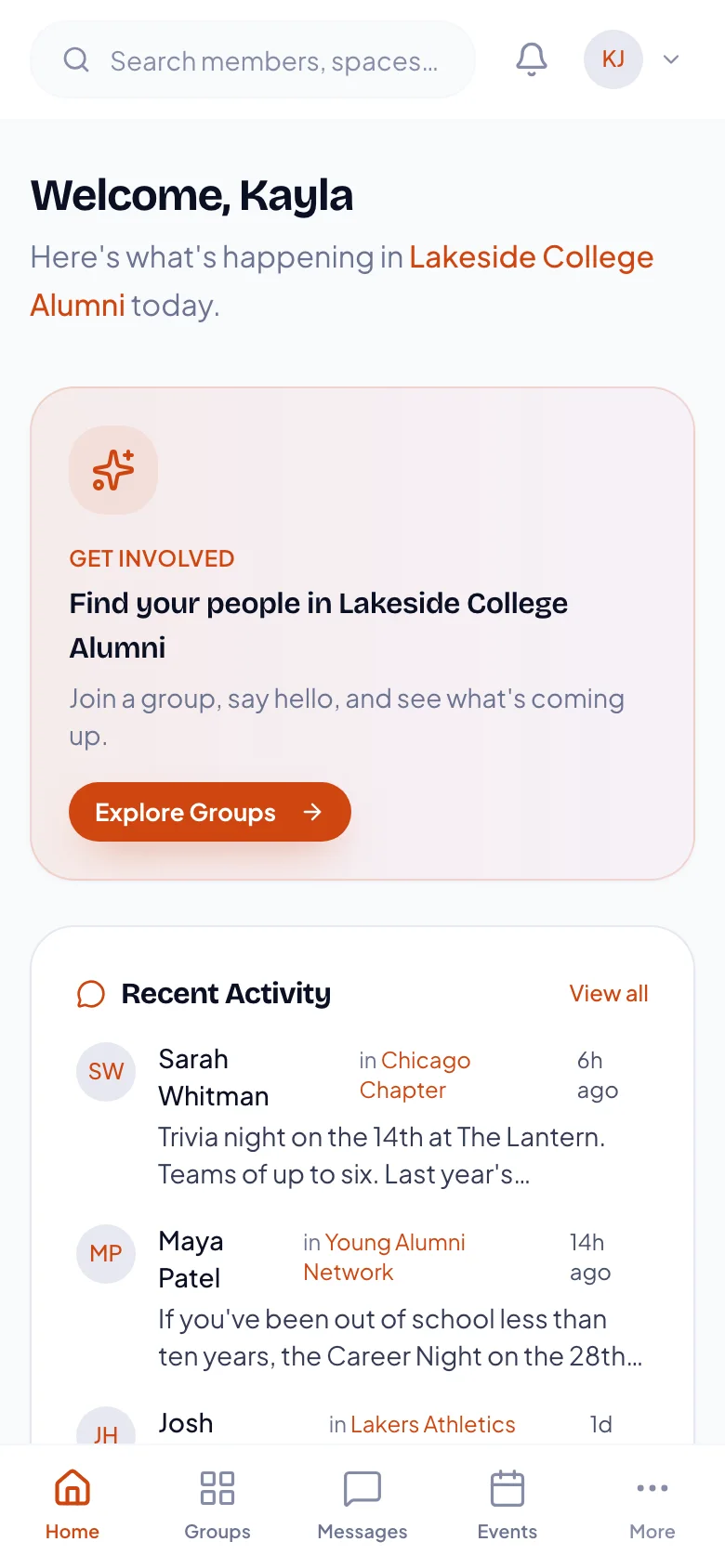
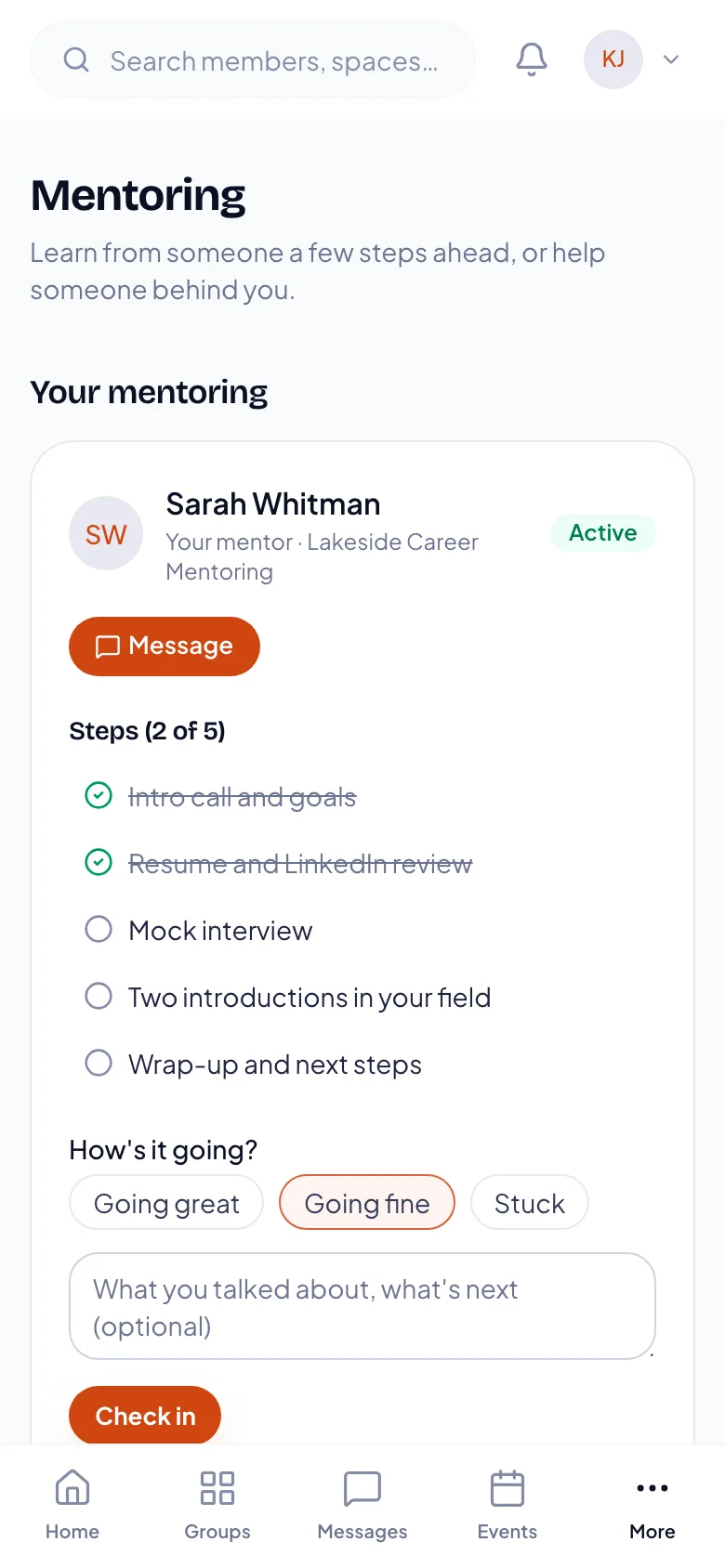
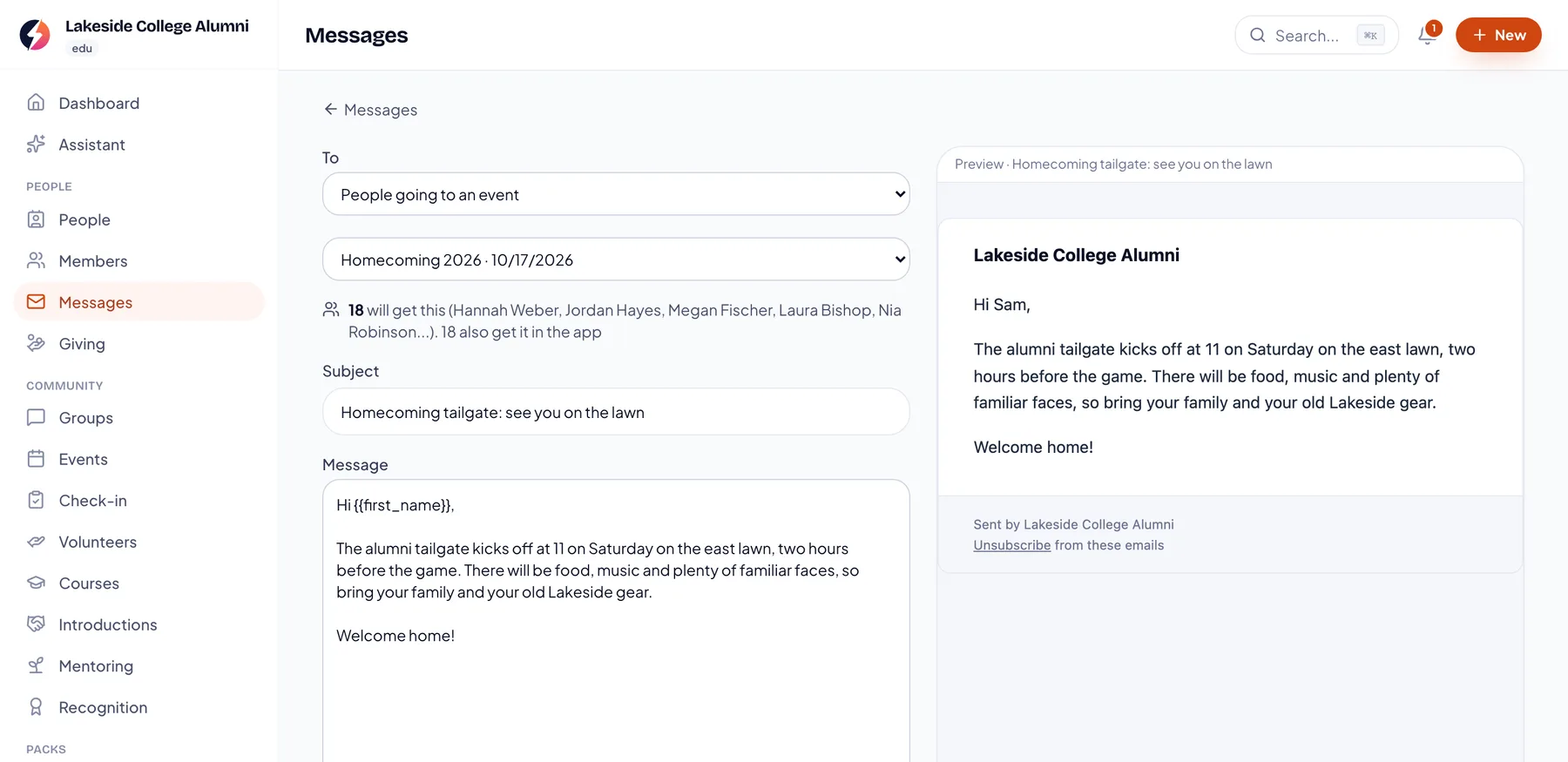
Screens from the real product. Lakeside College Alumni is a made-up example.
The Assistant · for student life staff
Who needs you this week, and why.
Each week your staff get one list, ranked by who a note would help most. Every name comes with the reason and a personal note drafted by AI. Your staff edit it and send it, or mark it done if they talked in person.
- New students who aren’t in a group yet
- Regulars who haven’t been in for a few weeks
- People who’ve gone quiet
- A first gift from an alum, and regular givers who stopped
- Student leaders who’ve served every week without a break
In development with our founding colleges: student reasons such as missed chapels, not in a group by week three, RSVP’d but didn’t come, a stalled course, or a mentee who’s stuck.
Meet the Assistant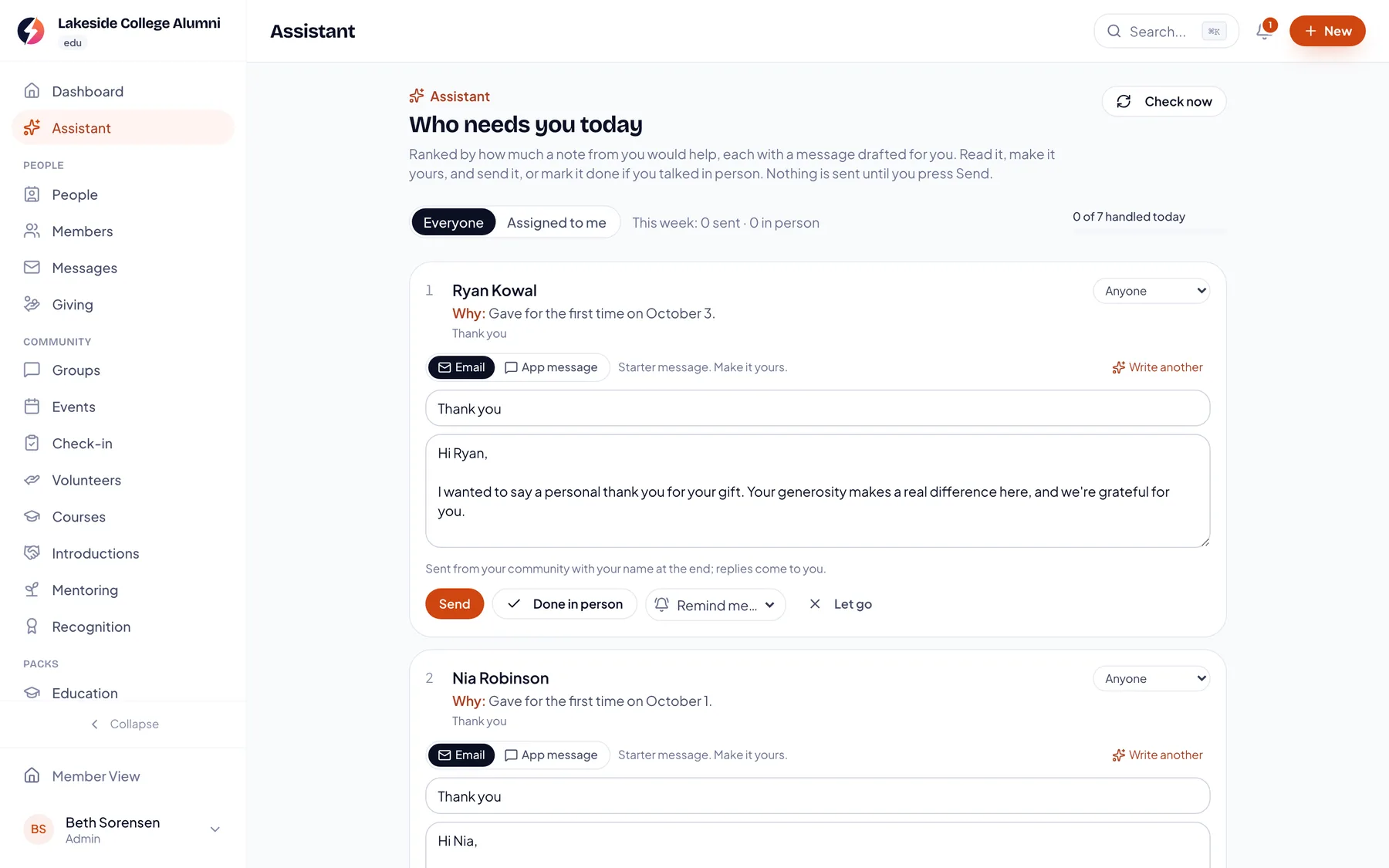
Screens from the real product. Lakeside College Alumni is a made-up example.
Chapel and spiritual formation
Chapel attendance, as a way to care.
Many Christian colleges require chapel and track it. Run chapel as a check-in session today, and each student’s attendance sits beside their groups, mentor and messages. Discipleship groups and campus ministry live in the same place.
Chapel credit counts, requirement tracking and a “who needs us” list from missed chapels are being built with our founding colleges.
Socio Connect for Christian colleges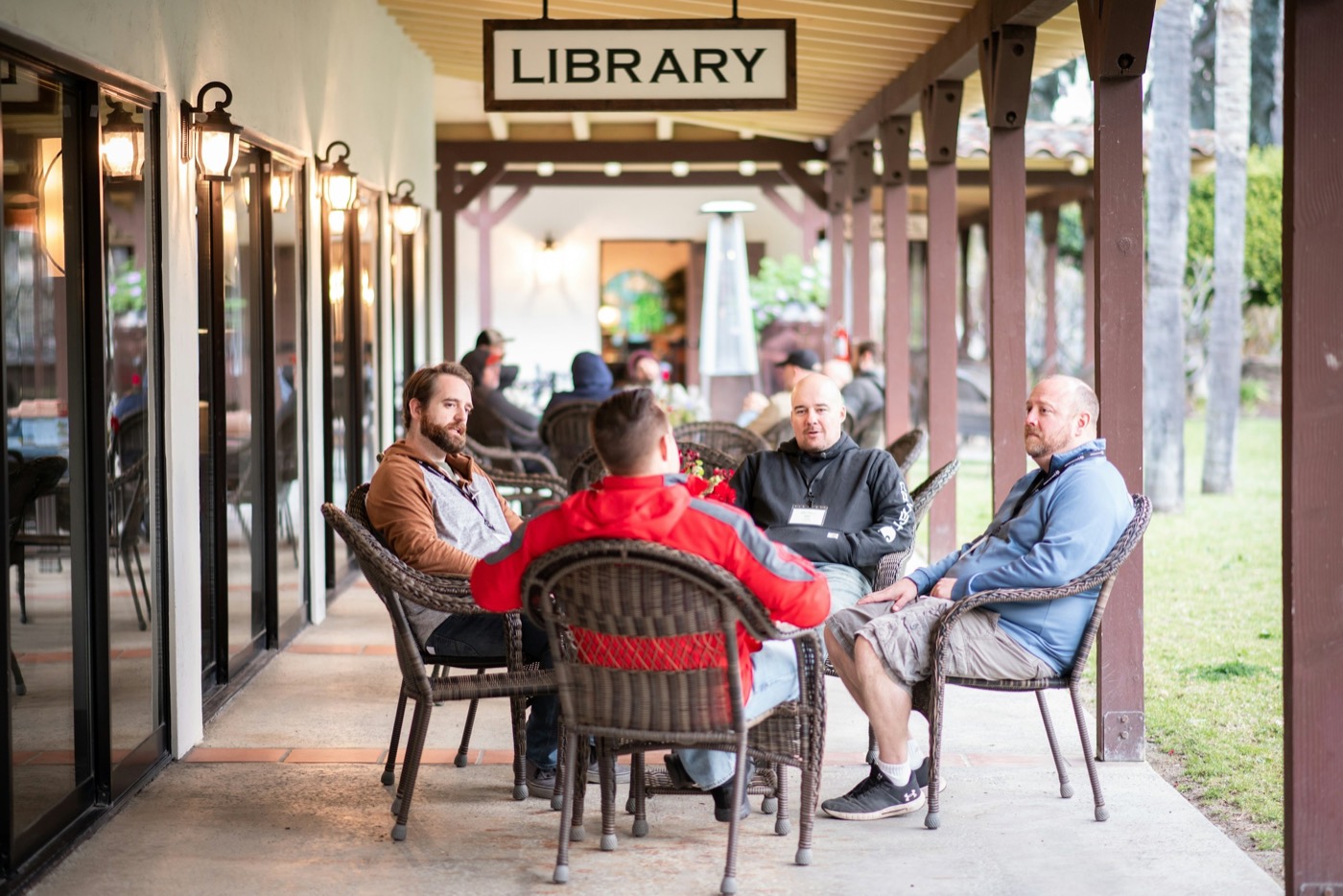
How a founding launch works
One launch semester. We do it with you.
Founding launches start in spring 2027. Here is what the semester looks like.
1
Talk with us
Tell us about your students, your first-year program, your chapel and what you run today. We’ll tell you plainly what works now and what we’d build with you.
2
Set up together
We import your students from a spreadsheet, set up cohorts, groups, chapel check-in and mentoring, and connect giving to your own Stripe account.
3
Train your team
Student life, residence life, campus ministry and advancement staff each learn the parts they use, in short sessions.
4
Run the first term with us
We check in through the first weeks of term, watch the Assistant’s list with you, and change what isn’t working.
What’s real today
What works now. And what we’re building with you.
We’d rather you know exactly where things stand. The left column runs in the product today. The right column is what founding colleges help us shape.
Live today
Works now, in the real product.
- One record per student: contact details, groups, events, check-ins, messages and gifts
- Groups and clubs, each with its own space
- Events with RSVPs, tickets and check-in
- Chapel or any gathering run as a check-in session
- Basic cohorts, such as a first-year class
- Mentoring programs: applications, pairing, check-ins and nudges
- Courses with lessons and progress
- Messages by email, in the app and by text
- The Assistant’s weekly list, with a reason for each name and a note to edit and send
- Ask: students’ questions answered from your own pages
- A Monday summary email for staff
- Alumni verification and fundraising campaign pages (basic)
- Giving to your own Stripe account, with no platform fee
- A full data export whenever you ask
Building with founding colleges
Not live yet. Shaped with you.
- Chapel credit counts and requirement tracking for each student
- Student reasons in the Assistant: missed chapels, not in a group by week three, RSVP’d but didn’t come, a stalled course, a mentee who’s stuck
- Class year, major and student status fields
- Single sign-on with your campus Microsoft, Google or SAML login (built, being enabled)
- Student information system sync: Jenzabar, Populi, Banner, Colleague and Workday
- An admitted-student community before day one
- Your own branded campus app in the app stores
- Security reviews: an accessibility conformance report in preparation, SOC 2 planned (we complete your HECVAT today)
Security and student records
Your students aren’t a dataset.
Student records deserve care. Here’s how we handle them today, and our security page covers FERPA and the reviews we’re preparing.
Your college’s own space
Each organization’s data is kept separate from every other organization on the platform.
Roles for every job
Owners, admins, leaders and members each get the access their role allows.
Yours to export
Your college keeps ownership of everything it adds, with backups and a full export whenever you ask.
Never trains AI on your people
What the Assistant reads is sent to our AI provider only to write the response, and is never used to train its models.
Pricing
A launch, then a subscription. Quoted for your size.
We quote each college by enrollment. Talk to us and we’ll send yours.
A one-time launch
We set everything up with you during a launch semester: your import, chapel check-in and cohorts, mentoring, staff training and first-term check-ins. Many colleges use one-time funds or student-success grants for it.
A yearly subscription
A per-student subscription to keep it running, quoted by enrollment, so a college of 900 and a college of 4,000 each pay for their size.
Founding colleges
The first colleges get founding pricing and a direct hand in shaping the product.
Questions colleges ask us.
Something else? Email hello@socio-connect.com.
Make sure no one slips through.
We’re taking a small group of founding colleges for spring 2027 launches. They get founding pricing and a direct hand in shaping the product.
Everything in one place.